Skip to content
The State

  • Home
  • Food
  • Technology
  • Travel
  • Sports
  • Entertainment
    • Bollywood
    • Hollywood
  • Headlines UK
  • Headline USA
  • UAE
Managing Your Followers instagram
Instagram

Instagram : Managing Your Followers (follow-unfollow/block-unblock/private)

The State January 13, 2020August 7, 2025 block, instagram, instagram follow, private, unblock, unfollow

Managing Your Followers

How do I approve or deny a follower request on Instagram?

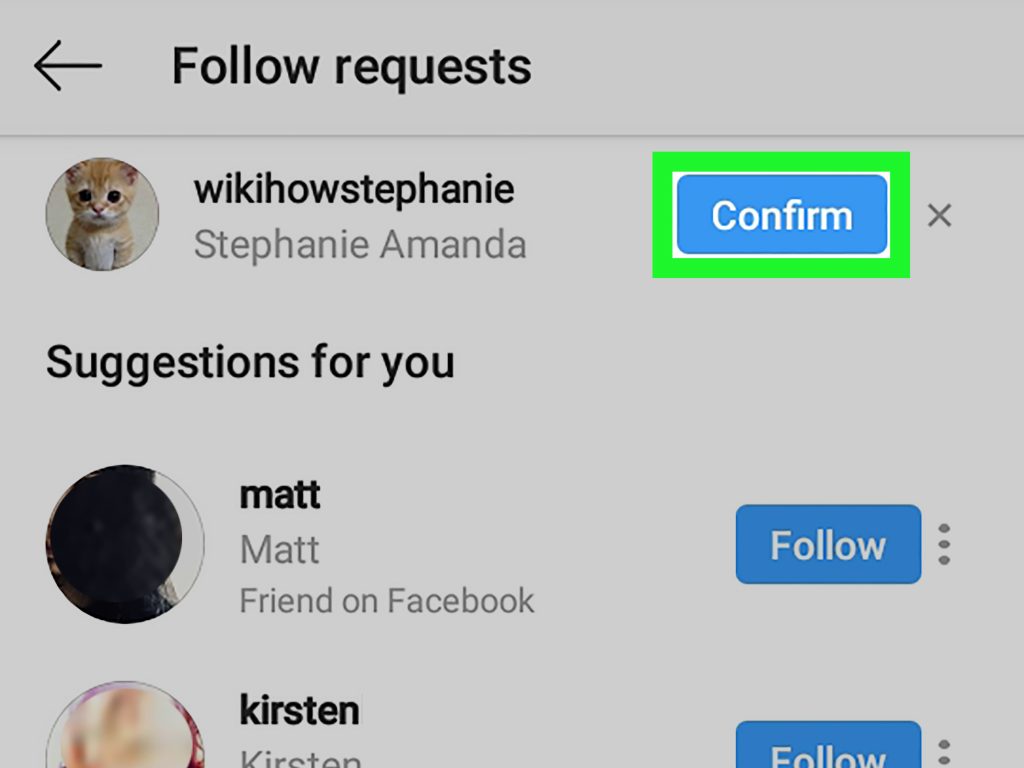
If your account is set to private, anyone who wants to see your photos or videos will have to send you a follower request. Follow Requests will appear in your  Activity.

To approve a request, tap Confirm. To deny a request, tap Delete (iPhone) or x (Android).

If you accidentally deny a follow request, you can ask the person to request to follow you again.
How do I unfollow someone on Instagram?

To unfollow someone:

  1. Go to the profile of the person you’d like to unfollow.
  2. Tap Following then tap Unfollow to confirm.

Once you’ve unfollowed someone, their profile will say Follow instead of Following. People won’t be notified when you unfollow them.

Note: If your account is set to private, you can remove people from your followers list. You can also block them. When you block someone, the blocked person can’t see your photos or videos or search for your Instagram account. The blocked person isn’t notified when they’re blocked.

How do I set my Instagram account to private so that only approved followers can see what I share?

Keep in mind that business profiles aren’t able to make their accounts private. If you want to make your business account private, first switch back to a personal account.

By default, anyone can see your profile and posts on Instagram. You can make your account private so that only followers you approve can see what you share. If your account is set to private, only your approved followers will see your photos or videos on hashtag or location pages.

Set your account to private from the Instagram app on your Android or iOS device

  1. Go to your profile, then tap .
  2. Tap Settings.
  3. Tap Privacy > Account Privacy.
  4. Tap next to Private Account to make your account private.

Set your account to private on your computer or mobile browser

  1. Go to instagram.com on your computer or mobile browser.
  2. Click , then click .
  3. Click Privacy and Security.
  4. Below Account Privacy, click to check the box next to Private Account.

Things to keep in mind about private accounts

  • Private posts you share to social networks may be visible to the public depending on your privacy settings for those networks. For example, a post you share to Twitter that was set to private on Instagram may be visible to the people who can see your Twitter posts.
  • Once you make your account private, people will have to send you a follow request to see your posts, your followers list or your following list.
  • Follow requests appear in  Activity, where you can approve or ignore them.
  • If someone was already following you before you set your posts to private and you don’t want them to see your posts, you can block them.
  • People can send a photo or video directly to you even if they’re not following you.

How do I block or unblock someone on Instagram?

To block or unblock someone:
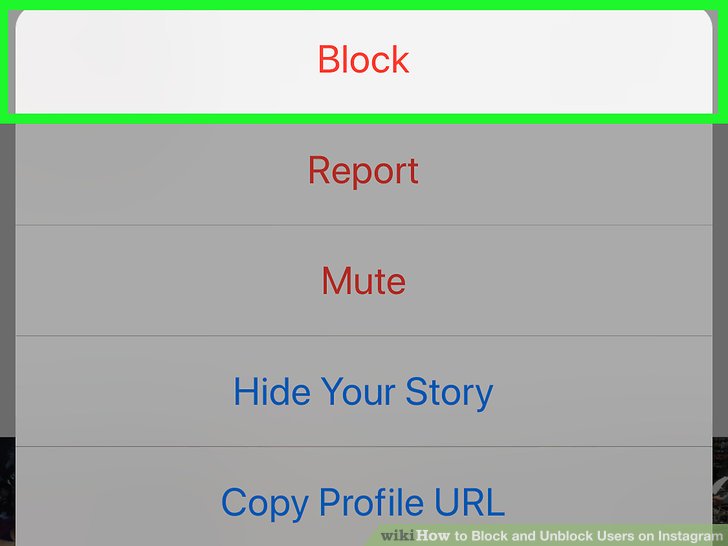
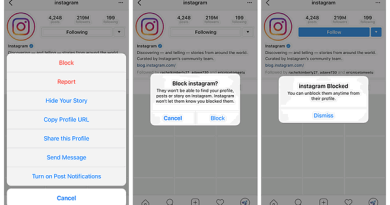
  1. Tap their username to go to their profile.
  2. Tap (iPhone/iPad/computer) or  (Android) in the top right.
  3. Tap Block or Unblock.
  4. Tap Block or Unblock again to confirm.

People aren’t notified when you block them. Learn more about blocking people.

Note: After you block someone, their likes and comments aren’t removed from your photos and videos. You can delete their comments from your posts.
  • Instagram : Syncing Contacts and Finding People to Follow
  • Instagram : Posting photos, videos and Adding Locations

You May Also Like

instagram blocking

Instagram : Blocking People (block/restrict)

The State February 1, 2020August 7, 2025
instagram direct messaging

Instagram : Direct messaging (disappearing photos and videos/ sending post, profile, location/ conversation)

The State January 15, 2020August 7, 2025
tag on instagram

Instagram : Tagging and Mentions

The State January 13, 2020August 7, 2025

Latest News

Farewell, Ajit Pawar: Maharashtra Deputy Chief Minister Cremated With Full State Honours
Big StoryIndiaPolitics

Farewell, Ajit Pawar: Maharashtra Deputy Chief Minister Cremated With Full State Honours

January 29, 2026 The State

Maharashtra mourns the tragic loss of Deputy Chief Minister Ajit Pawar, who died in a plane crash near Baramati. Leaders,

Mumbai Players Forced to Wear Face Masks During Ranji Trophy Game — Here’s Why
CricketIndiaSports

Mumbai Players Forced to Wear Face Masks During Ranji Trophy Game — Here’s Why

January 29, 2026 The State
Australian Open 2026 Winners to Get $2.79 Million After Prize Money Increase
Sports

Australian Open 2026 Winners to Get $2.79 Million After Prize Money Increase

January 29, 2026January 29, 2026 The State

Categories

  • Astro Talk
  • Auto
  • Awesome
  • Baisakhi
  • Big Story
  • Bollywood
  • Business
  • Celebrity
  • Christianity
  • Cricket
  • Crime
  • Earth Day
  • Entertainment
  • Fengshui
  • Festival
  • Fitness
  • Food
  • Gemstone
  • Get well soon
  • Good Friday
  • Good Morning
  • Hanuman Jayanti
  • Headline USA
  • Headlines UK
  • Health
  • Hindu Festival
  • Holi
  • Hollywood
  • How to
  • India
  • Instagram
  • International Women's day
  • Lifestyle
  • Love
  • Mahavir Jayanti
  • Mobile
  • Movie Review
  • Muslim Festivals
  • Palmistry
  • Politics
  • Prayer
  • Railways
  • Ram navami
  • Ramzan_Ramadan
  • Recipes
  • Relationship
  • Religion
  • Science
  • SEO
  • Shab e Barat
  • Sports
  • Subliminal Affirmations
  • Tech News
  • Technology
  • The Buzz
  • Tiktok
  • Travel
  • Trending
  • Twitter
  • UAE
  • Ugadi / Gudi padwa
  • Vastu shastra
  • Whatsapp
  • wifi names
  • Wishes
  • Wordpress
  • World
  • World Health Day

The State network is one of the fastest news network with latest news from all corners of the world. Stay tuned for current news and affairs.

Quick Links

  • Home
  • Contact Us

Recent Post

  • Farewell, Ajit Pawar: Maharashtra Deputy Chief Minister Cremated With Full State Honours
  • Mumbai Players Forced to Wear Face Masks During Ranji Trophy Game — Here’s Why
  • Australian Open 2026 Winners to Get $2.79 Million After Prize Money Increase
  • 21 Killed in Fire at Two Warehouses in Kolkata, Including Wow Momo Unit
  • Delhi SWAT Commando Brutally Murdered by Husband With Dumbbell in Domestic Dispute

Categories

  • Astro Talk
  • Auto
  • Awesome
  • Baisakhi
  • Big Story
  • Bollywood
  • Business
  • Celebrity
  • Christianity
  • Cricket
  • Crime
  • Earth Day
  • Entertainment
  • Fengshui
  • Festival
  • Fitness
  • Food
  • Gemstone
  • Get well soon
  • Good Friday
  • Good Morning
  • Hanuman Jayanti
  • Headline USA
  • Headlines UK
  • Health
  • Hindu Festival
  • Holi
  • Hollywood
  • How to
  • India
  • Instagram
  • International Women's day
  • Lifestyle
  • Love
  • Mahavir Jayanti
  • Mobile
  • Movie Review
  • Muslim Festivals
  • Palmistry
  • Politics
  • Prayer
  • Railways
  • Ram navami
  • Ramzan_Ramadan
  • Recipes
  • Relationship
  • Religion
  • Science
  • SEO
  • Shab e Barat
  • Sports
  • Subliminal Affirmations
  • Tech News
  • Technology
  • The Buzz
  • Tiktok
  • Travel
  • Trending
  • Twitter
  • UAE
  • Ugadi / Gudi padwa
  • Vastu shastra
  • Whatsapp
  • wifi names
  • Wishes
  • Wordpress
  • World
  • World Health Day
Copyright © 2026 The State. All rights reserved.
Theme: ColorMag by ThemeGrill. Powered by WordPress.